
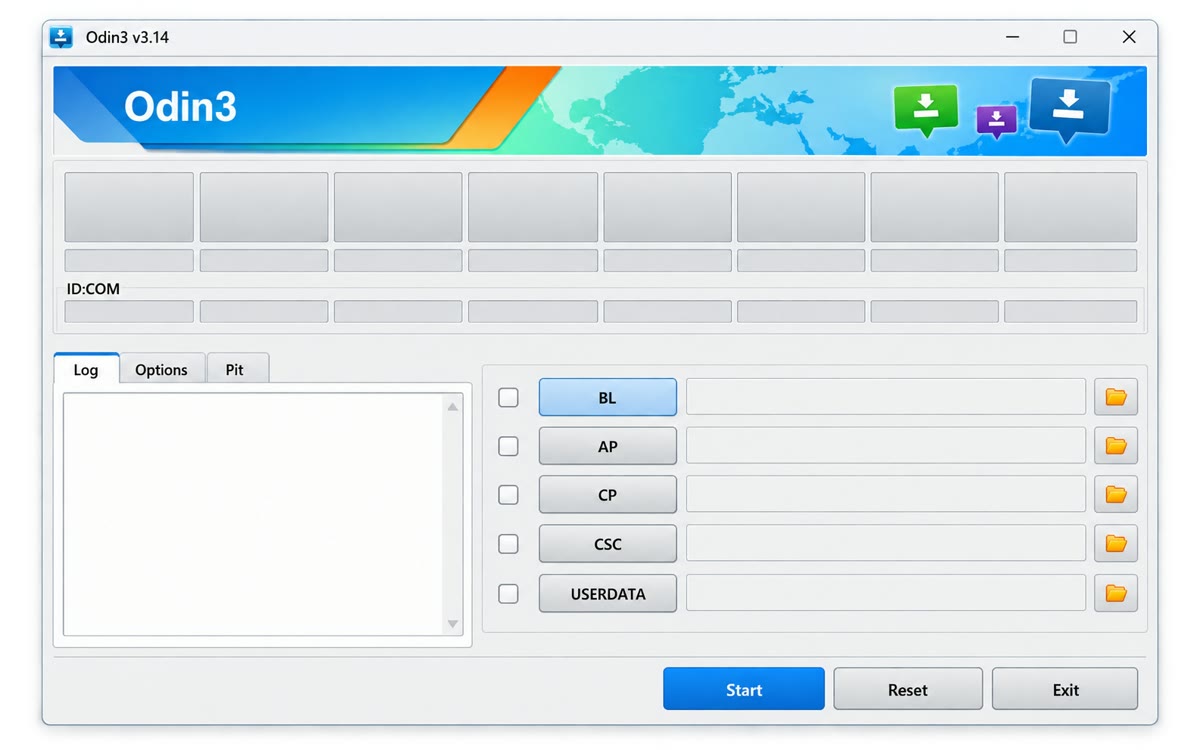
Latest available version
Odin3 v3.14.4
Checked
| File | Odin3-v3.14.4.zip |
|---|---|
| Size | 4.51 MB / 4,511,538 bytes |
| Platform | Microsoft Windows |
| Archive contents | cpprest141_2_10.dll, Odin3.ini, Odin3_v3.14.4.exe, SS_DL.dll, README.txt |
| Checked | September 25, 2026 |
SHA-256
eda427680fbd16716b8a4856fd450857d1bcc75e379ac90b9165e49d9d652828This ZIP is hosted in our WordPress uploads folder. Samsung does not publish a consumer Odin download page. Compare the SHA-256 checksum after downloading.
Before opening Odin
- Extract the ZIP into a separate folder; do not run the executable from inside the archive.
- Compare the SHA-256 value above and scan the extracted files with current security software.
- Install Samsung’s Windows USB driver and close Smart Switch before connecting the phone.
- Confirm the complete model number, CSC or region, and bootloader revision before obtaining firmware.
What the Odin slots mean
BL
Bootloader
Bootloader component from the matching firmware package.
AP
System image
The largest firmware file; loading it can take several minutes.
CP
Modem
The cellular radio or baseband component.
CSC
Regional settings
Carrier and region data; standard CSC normally wipes user data.
Before pressing Start: Follow the complete Odin flashing tutorial and stop if the model, CSC, bootloader revision, or filenames do not match.