
Brokkr is a free, open-source flash tool for Samsung Galaxy phones. It speaks the same Download Mode protocol as Odin, so it flashes the same BL, AP, CP and CSC files. The difference is that it also runs on macOS, Linux and even Android.
In this post, I will give you the official Brokkr download links for every platform, tell you which file to pick, and walk you through flashing Samsung firmware with it step by step.
Latest stable release
Brokkr v2.4.10
Checked
| Developer | Gabriel2392 (open-source project on GitHub) |
|---|---|
| Released | September 17, 2026 |
| License | GNU GPL v3, free |
| Platforms | Windows 10 and 11 (x64, ARM64), macOS 11 or later (Apple Silicon, Intel), Linux (x86_64, ARM64), Android 7.0 or later |
| Firmware files | .tar, .tar.md5 and .lz4 images, same as Odin |
| Checked | September 28, 2026 |
The button takes you to the official release page on GitHub. I don’t host a copy of Brokkr, so you always get the developer’s own files. The release files are built and uploaded by the project’s GitHub Actions workflow, not by hand.
What is Brokkr?
Brokkr (full name Brokkr Flash) is a Samsung flashing tool written from scratch in C++ by a developer who goes by Gabriel2392 on GitHub. The project started in February 2026, and the first stable build, v1.4.5, came out on April 28, 2026.
It’s not a patched or leaked copy of Odin. It’s a separate program that talks to your phone the same way Odin does. That’s why the window looks so familiar.
Here’s why people are switching to it:
- It runs on Windows, macOS, Linux and Android. Odin3 is Windows only.
- It can flash compressed .lz4 images directly when your phone supports it, which the developer says can be up to 2x faster.
- It can flash up to 24 phones at once with Mass D/L.
- It can put a phone into Download Mode from the PC, without the button combo.
- The full source code is public, so anyone can check what it does.
If you’re trying to decide between the two, I compared them side by side in my Brokkr vs Odin post.
Which Brokkr file should you download?
The v2.4.10 release has nine files. You only need one. Pick the row that matches your computer.
| Your device | File | Size |
|---|---|---|
| Windows PC (most people) | Brokkr-2.4.10-windows-x64.exe | 46.6 MB |
| Windows PC, no installer | Brokkr-2.4.10-windows-x64.zip | 54.4 MB |
| Windows on ARM (Snapdragon laptops) | Brokkr-2.4.10-windows-arm64.exe or .zip | 29.4 MB / 36.8 MB |
| Mac with Apple Silicon (M1 and newer) | Brokkr-2.4.10-macos-arm64.app.zip | 20.7 MB |
| Mac with Intel chip | Brokkr-2.4.10-macos-x86_64.app.zip | 20.7 MB |
| Linux PC | Brokkr-2.4.10-linux-x86_64.AppImage | 31.5 MB |
| Linux on ARM (Raspberry Pi and similar) | Brokkr-2.4.10-linux-arm64.AppImage | 30.9 MB |
| Android phone or tablet | Brokkr-2.4.10-android.apk | 15.5 MB |
The .exe is an installer that adds Brokkr to the Start menu. The .zip is a portable version you just extract and run. Both work the same.
Not sure which Mac you have? Click the Apple menu and open About This Mac. If the Chip line says Apple M1, M2, M3 or newer, take the arm64 file.
SHA-256 checksums for Brokkr v2.4.10
These are the checksums GitHub lists for each file on the release page. If the hash of your download matches, the file wasn’t changed on the way.
- windows-x64.exe:
baba85e228ca3d31ca603d42bce7510890bdeaba536d9368841f2068a15fc2b8 - windows-x64.zip:
4eadcef37440cd6080b8061940a491c6bf82e2ab1a3b4f64ffc5fb9957d278b6 - windows-arm64.exe:
2856b6a49c7f85e0b7c02447c6c580cd02500718ba9e59eb97121adf501d53e1 - windows-arm64.zip:
0d9d9ff560bbc5ee6ce703bf69e051fec8cbafa351d172654b581c858e0ae2eb - macos-arm64.app.zip:
e3717e2159f944f887db9a619f62a3e407668f8adc11982a1545f007b40f6dd7 - macos-x86_64.app.zip:
43e140074cd6e7effd7ed30470f71c7c286b9557016dd0d94c2cb5cdf07edc88 - linux-x86_64.AppImage:
3be5493edc33751be75e346fe71eb02db958bb8974c27e9025e2bcc7d5bbfa08 - linux-arm64.AppImage:
95303a44c51940f145af92a2c52d095e928fc5fa68018ff61a7e08bee1748002 - android.apk:
28c24d07a9818f0dbfa33206054a7f322fcea2ff5c1718a9457519da8d0e81ac
On Windows, run certutil -hashfile Brokkr-2.4.10-windows-x64.exe SHA256 in Command Prompt. On a Mac or Linux PC, run shasum -a 256 followed by the file name.
Before you flash anything
Brokkr is only the tool. Your phone and your firmware still need to be ready. Go through this list first.
- Back up your data. A normal flash with the CSC file wipes the phone. HOME_CSC keeps your data, but a backup is still your safety net.
- Charge the phone to at least 50%.
- Get the right firmware for your exact model number, like SM-S928B for a Galaxy S24 Ultra. You’ll find it in Settings > About phone. You can check the latest build for your model and region on SamUpdater, then download it with Bifrost. It’s a free, open-source app that downloads official firmware straight from Samsung’s servers, and like Brokkr, it runs on Windows, macOS and Linux.
- On Windows, install the Samsung USB Driver. Brokkr uses the same driver as Odin. On macOS and Linux, you don’t need any driver.
- Use a USB cable that carries data, plugged straight into the PC. Skip USB hubs.
Once you extract the firmware ZIP, you should have five files that start with BL_, AP_, CP_, CSC_ and HOME_CSC_. Some Wi-Fi only tablets don’t have a CP file, and that’s normal.
How to install Brokkr
Windows
- Download Brokkr-2.4.10-windows-x64.exe.
- Double-click it and go through the installer.
- Open Brokkr Flash from the Start menu.
If you took the portable ZIP, extract it to a folder like C:\Brokkr and double-click brokkr.exe.
macOS
- Download the .app.zip file for your Mac and double-click it to extract Brokkr.app.
- Drag Brokkr.app to the Applications folder.
- Open Terminal and run
sudo xattr -rd com.apple.quarantine /Applications/Brokkr.app - Open Brokkr from Applications.
Step 3 matters. Brokkr isn’t notarized by Apple, so macOS may say the app is damaged or can’t be verified. The command removes the download flag that causes the warning. The developer mentions the same fix in the official README.
Linux
- Download the .AppImage file.
- Make it executable with
chmod +x Brokkr-2.4.10-linux-x86_64.AppImage - Run it with
./Brokkr-2.4.10-linux-x86_64.AppImage
If Brokkr says the device was opened read-only, it can’t write to the phone’s USB port. You can run it with sudo, or add a udev rule so your normal user can flash. I explain the udev rule in the troubleshooting section below.
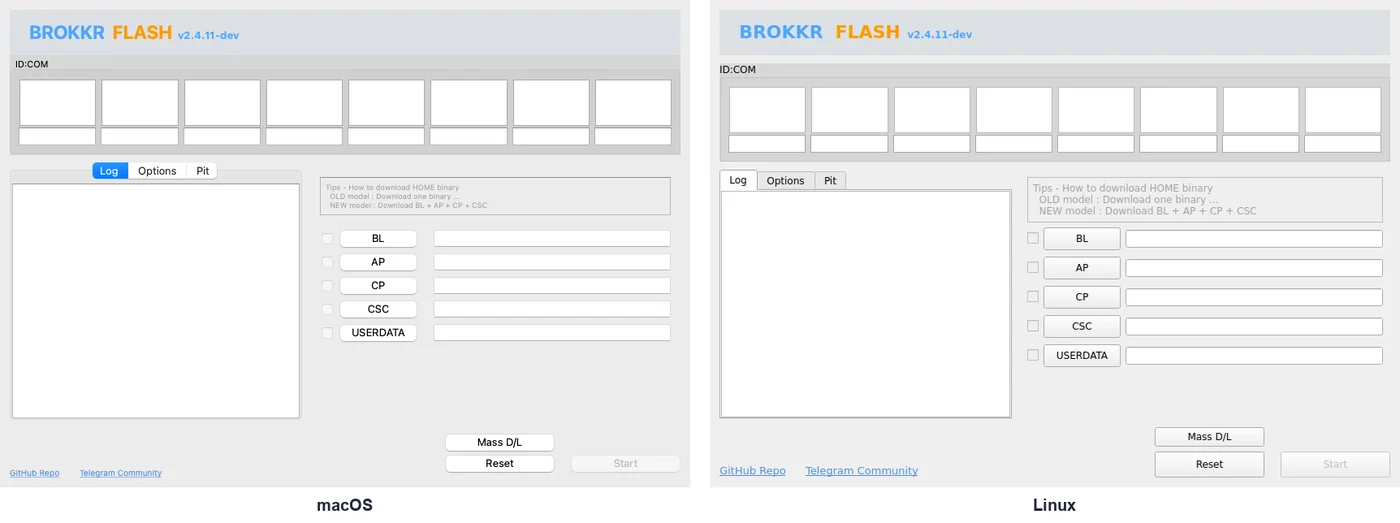
Android
Yes, you can flash one Galaxy phone from another Android phone with the APK and a USB OTG cable. The developer says not every phone can be flashed this way, so use the desktop version for anything important.
How to flash Samsung firmware with Brokkr
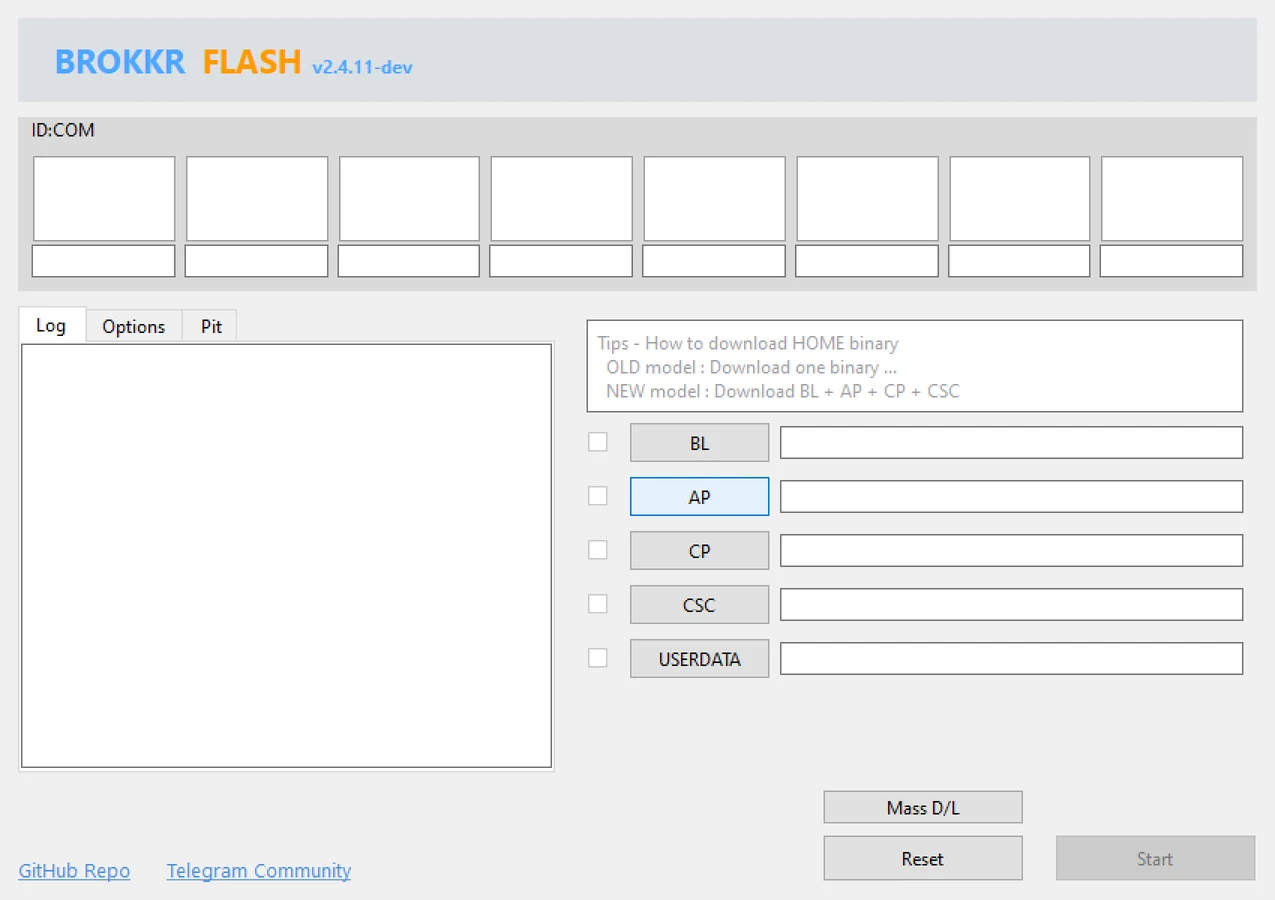
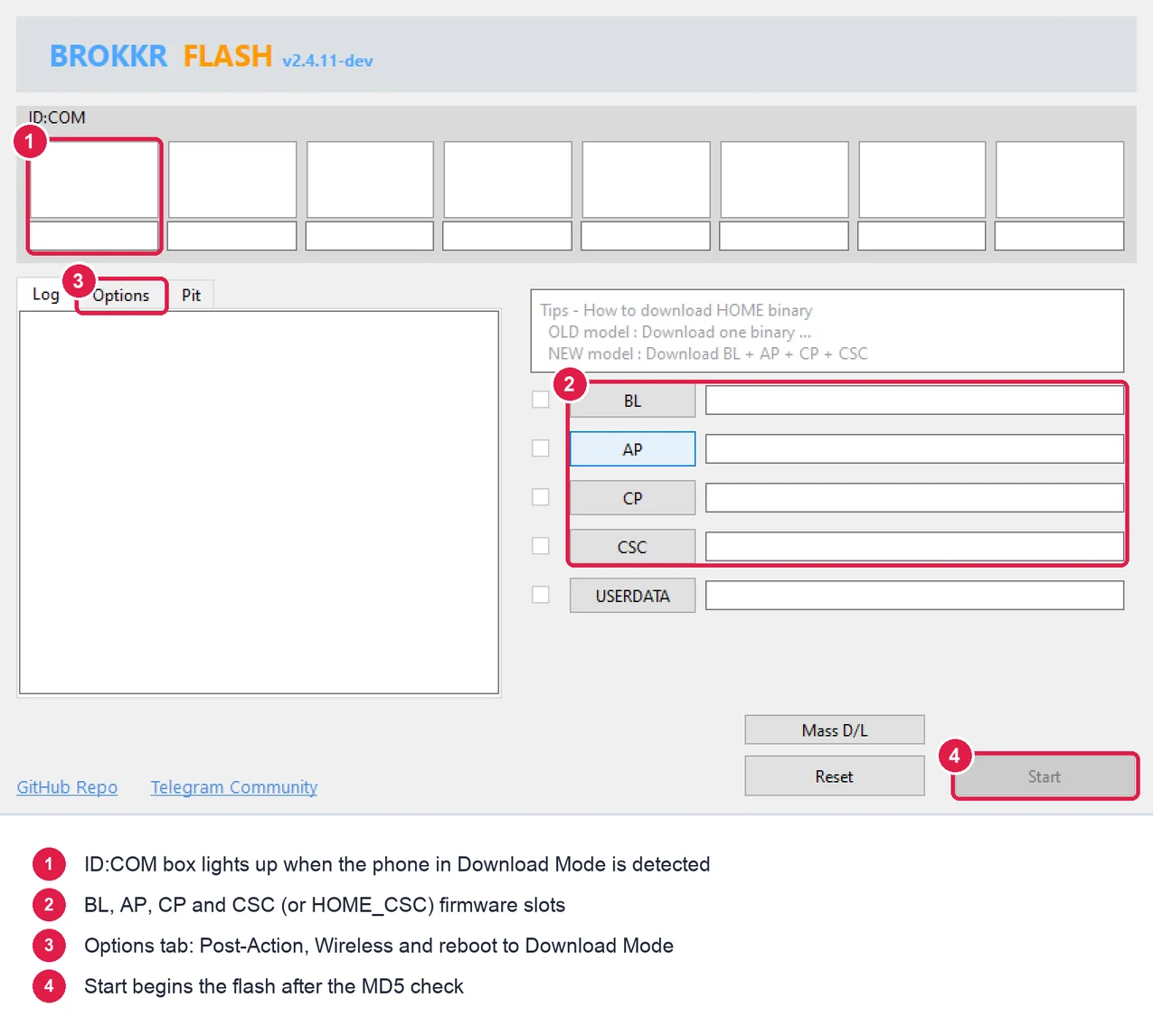
If you’ve used Odin before, this will feel very familiar. I’ve marked the four parts of the window you’ll use.
- Open Brokkr on your computer.
- Turn off your Galaxy phone.
- Press and hold Volume Up and Volume Down together, and connect the phone to the PC with the USB cable while holding them.
- When the warning screen shows up, press Volume Up once to enter Download Mode.
- Look at Brokkr. The first ID:COM box should show your phone. On Windows, it shows a COM port like COM5.
- Click BL and select the file that starts with BL_.
- Click AP and select the file that starts with AP_. This one is big, so give it a moment.
- Click CP and select the file that starts with CP_.
- Click CSC and select the CSC_ file for a clean install, or the HOME_CSC_ file to keep your apps and data. Not sure which one? Read CSC or HOME_CSC first.
- Open the Options tab and make sure Post-Action is set to Default (Reboot Normally).
- Click Start.
Brokkr first checks the MD5 of every file, which can take a minute with big AP files. Then it starts flashing. The Log tab shows either Flashing (Speed: Enhanced) or Flashing (Speed: Normal). Enhanced means it’s sending the compressed .lz4 data directly.
When it’s done, the device box turns to PASS and the phone reboots on its own. The first boot after a flash can take up to 10 minutes. Don’t unplug the phone before you see PASS.
Older Galaxy phones: Some older models use a single firmware file. In that case, load it in the AP slot only and leave the others empty. The tip box inside Brokkr says the same thing.
Reboot into Download Mode without buttons
This is a handy one. If your phone has a broken volume button, or you just hate the button dance, Brokkr can send the phone into Download Mode for you.
- Turn on your phone and unlock the screen.
- Turn off Auto Blocker in Settings > Security and privacy > Auto Blocker. It blocks commands over USB.
- Connect the phone to the PC.
- In Brokkr, open the Options tab and click Try to Reboot the device(s) into Download Mode.
The phone restarts straight into Download Mode, and you can flash as usual.
Flash several phones at once
Brokkr shows 8 device boxes by default. Click Mass D/L and it grows to 24. Connect all the phones in Download Mode, load the firmware once, and click Start.
All the phones need to take the same firmware, so this is for a batch of the same model. It’s handy for repair shops and anyone setting up a lot of test devices.
Brokkr from the command line
For the tech-savvy: the same program also works as a command line tool. If you pass any flash option, it skips the window and runs in the terminal.
brokkr --list
brokkr -b BL.tar.md5 -a AP.tar.md5 -c CP.tar.md5 -s HOME_CSC.tar.md5
brokkr --reboot-download
The -b, -a, -c, -s and -u switches match the BL, AP, CP, CSC and USERDATA slots. Add –no-reboot if you want the phone to stay in Download Mode after the flash. Run brokkr –help to see every option.
Brokkr not detecting your phone?
Most detection problems come down to the platform you’re on. Here’s what fixes them.
- Windows: install or reinstall the Samsung USB Driver, then restart the PC. If Odin can’t see the phone either, it’s the driver or the cable.
- Windows: close Odin, Smart Switch and Samsung Kies before you open Brokkr. Only one program can use the phone’s COM port at a time.
- Linux: create /etc/udev/rules.d/51-brokkr-samsung.rules with the line
SUBSYSTEM=="usb", ATTR{idVendor}=="04e8", MODE="0660", GROUP="plugdev", TAG+="uaccess", reload withsudo udevadm control --reload-rulesandsudo udevadm trigger, and replug the phone. - macOS: if the app won’t open at all, run the xattr command from the install steps again.
- Wireless mode: Brokkr listens on TCP port 13579, so allow that port in your firewall.
- Any platform: try another cable and a USB port on the back of the PC.
If the flash starts but fails, the error usually comes from the phone, not the tool. Things like a model mismatch or SW REV. CHECK FAIL mean the same thing in Brokkr as in Odin. My Odin errors guide covers what each one means.
Brokkr questions
Is Brokkr safe to use?
Yes, as long as you download it from the official GitHub release page. The source code is public under the GPL v3 license, and the release files are built by GitHub Actions. Like any flash tool, the real risk is flashing the wrong firmware, so always match the model number.
Is Brokkr free?
Yes. Brokkr is free and open source. There’s no paid version and no account to sign up for.
Does Brokkr work on Mac?
Yes. There are separate builds for Apple Silicon and Intel Macs, and it runs on macOS 11 or later. You don’t need a USB driver on a Mac, but you may need to clear the quarantine flag with the xattr command the first time.
Do I need the Samsung USB Driver for Brokkr?
Only on Windows. Brokkr uses the same Samsung driver as Odin there. On macOS, Linux and Android, it talks to the phone directly.
Will flashing firmware with Brokkr trip Knox?
Flashing official Samsung firmware doesn’t trip Knox, whether you use Brokkr or Odin. Knox trips when you flash something unofficial, like a custom recovery or a patched boot image, on an unlocked bootloader.
Can Brokkr flash TWRP or a Magisk-patched AP file?
Yes. It takes the same .tar and .tar.md5 files as Odin, so they go in the AP slot as usual. Your bootloader has to be unlocked first, or the phone will reject the file.
That’s it. You now have Brokkr installed and know how to flash Samsung firmware with it on any computer.
If you get stuck, send me a message through the contact page. Tell me your Galaxy model number, the computer you’re using, and the last few lines from the Brokkr log. I’ll help you figure it out.